TCP chatroom
This is the first assignment of “Computer Network: a top- down approach” course. It’s a simple TCP chatroom. The server can accept multiple clients and exchange messages and files with them. The server and client are implemented by python.
Socket Programming Lab Report
Name: Bao
Student ID: xxxxxxxxxx
Date: 29/03
1.Experiment Objectives
- To understand the basics of socket programming
- To implement server-client architecture using TCP protocol.
- To implement multi-thread server using TCP protocol.
2.Experimental Environment
- Programming Language: Python 3.12.4
- Libraries: socket and threading module in python
- Tool: Wireshake for packet capture
Usage
For single thread TCP part,
Server
1 | cd ./TCP/ |
Options:
18080: Server listening port (default:18080)input: Server response type (default:upper), including “input” and “upper”
Client
1 | cd ./TCP |
Options:
127.0.0.1server IP to connect to (default:127.0.0.1)18080server port to connect to (default:18080)
For multiple thread TCP server part
Server
1 | cd ./Threading/ |
Options:
18080: Server listening port (default:18080)10: the maximum number of clients the server can accept (default:10)upper: Server response mode (default:upper), including “input” and “upper”
Client
1 | cd ./Threading/ |
And for a new client
1 | cd ./Threading/ |
And so on…
Options:
127.0.0.1server IP to connect to (default:127.0.0.1)18080server port to connect to (default:18080)client1client name (default:client0), necessary for more than 1 clients, to separately manage the files different clients own.
Note:
- All above commands are executed in the root directory of the project, and you can run without any arguments to use the default values.
- Server is set a time out limit of 120, which is not necessary. It’s just to easily quit the server when it’s not being used.
- Client is set a time out limit of 30.
After connection is set up, the client and server go in a circle of “receive - send”. User repeatedly give commands through client.
There are 3 types of input commands:
- ask for file:someFile :require server sending someFile to the folder client manages
- send file:someFile :send local file someFile to folder “server” that server manages
- exit :quit connction with server
- else: send the input message encoded by ‘UTF-8’ to server, and receive reponse from server. The argument
responseTypein class TCP_Server/Multithread_Server determines how server response.responseType = upperautomatically return the total uppercase of client massage,responseType = inputrequire server input response by hand.
3.Experimental Procedure
Using Wireshake, we can capture the packets sent between client and server.
Because multi-thread version totally inludes functions of single thread version, I will only show the result of multi thread version here.
The following figures shows the example: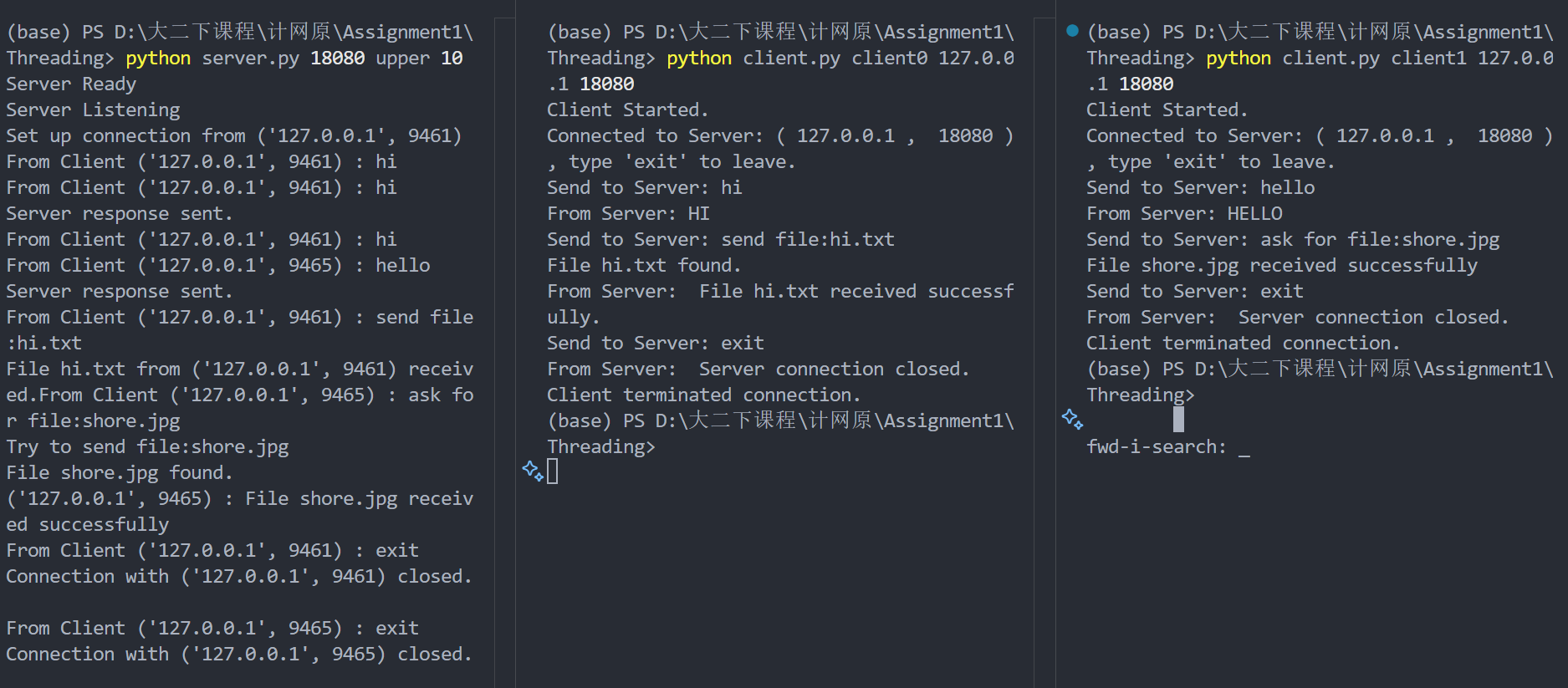
During the connection, the WireShark capture the packets sent between client and server.
When the connections are setup: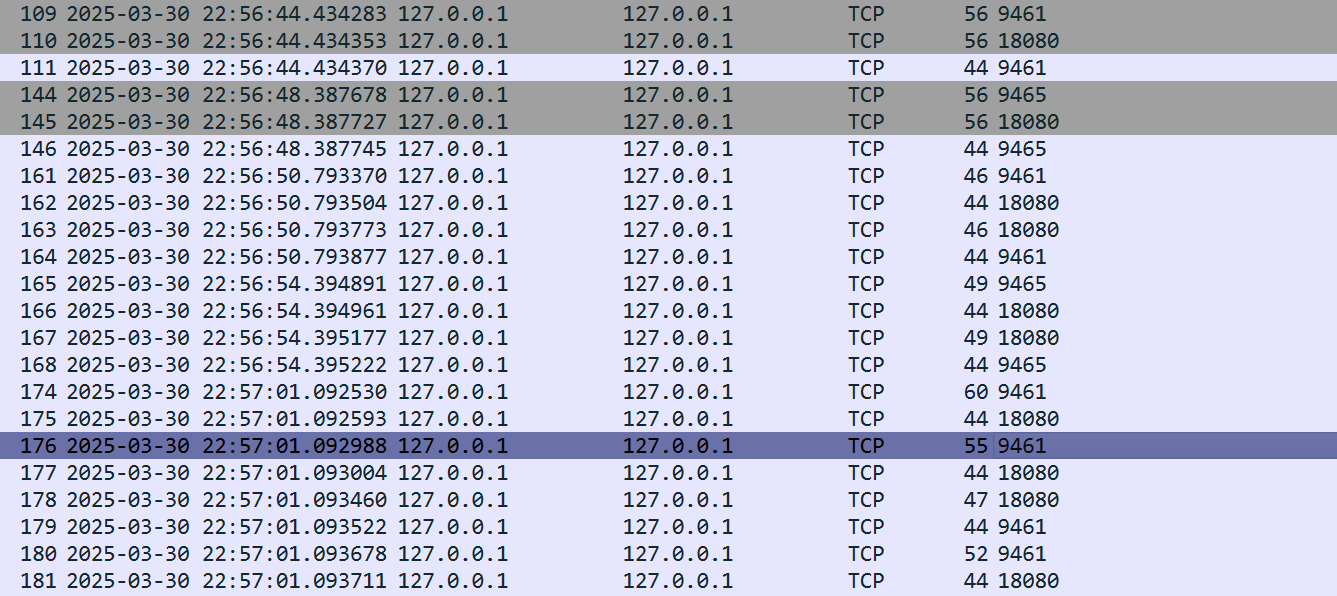
When client0 exits and client1 is receiving shore.jpg from server: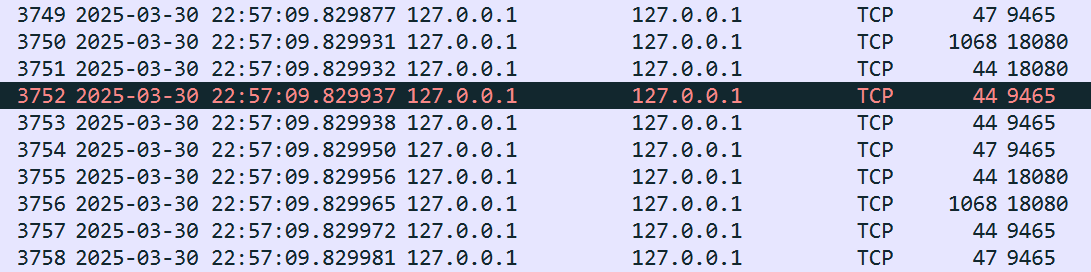
I didn’t show the whole process because shore.jpg takes too many packets to be sent.
For more test, the ./server/ has 出师表.txt, the ./client has keep.jpg.
4.Experiment Analysis
It can be easily found that “3-way” hand shake happens. Looking at the wireshark captures, before the first request of port 9461 and the connection of port 9465, there are 3 packets sent between client and server:No.109,110,111. In 109, client0 sends a SYN packet to server, and in 110, server sends a SYN-ACK packet to client0, and in 111, client0 sends a ACK packet to server. After that, the connection is established. Of course, the same thing happens for client1, which is demonstrated in No.144,145,146.
5.Experiment Summary
TCP can be visualized like the following picture:
With the experiment, we can better under stand why TCP is reliable.